Product launches
Align design, validation, delivery, and dependency tracking on one timeline.
Collaborative Gantt planning software
Planner brings planning, tasks, and collaboration together in one workspace — from brief to delivery.
Create your account, then access your workspace straight away.
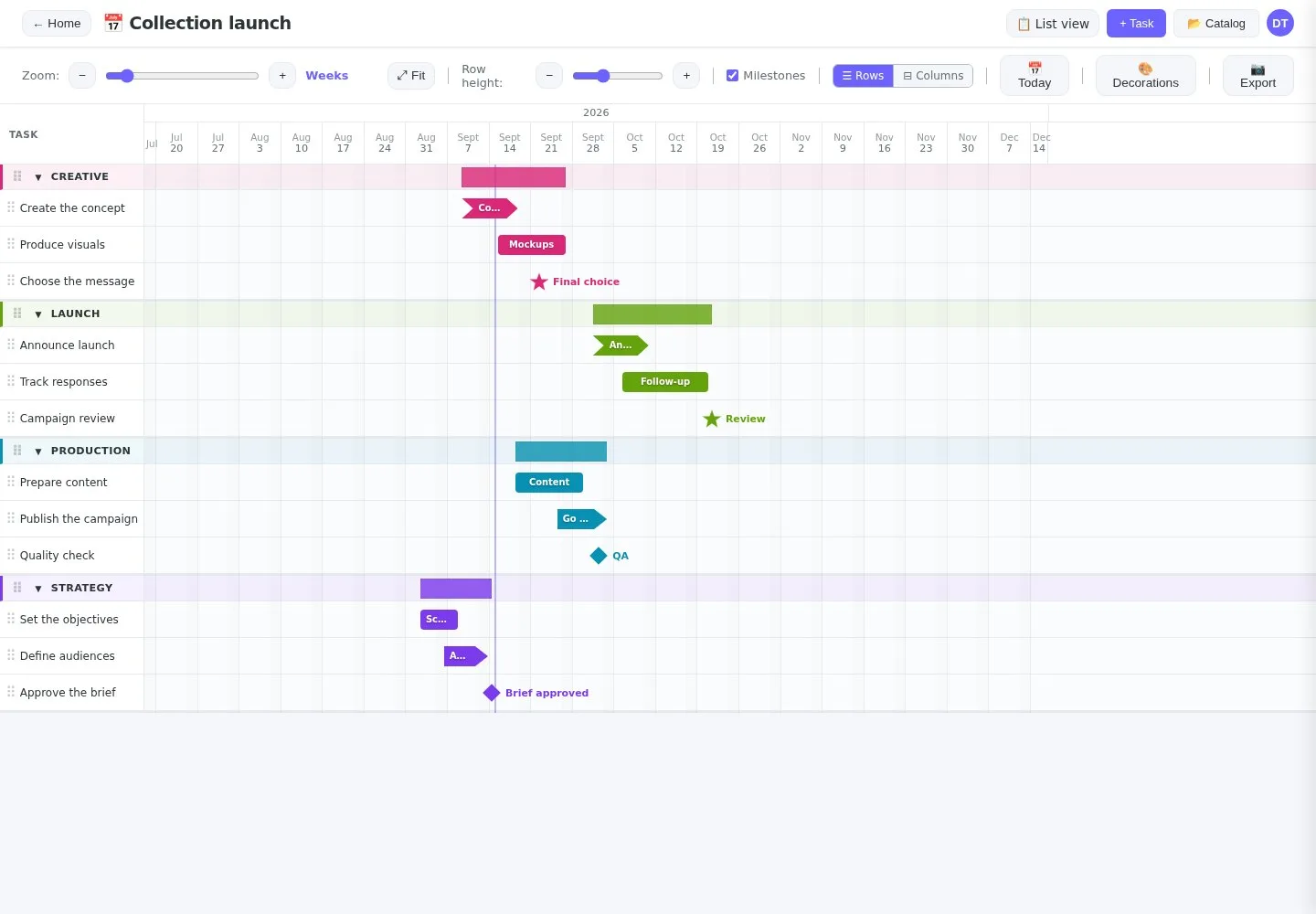
Plan without losing the thread
Organize tasks by category, place multiple time ranges, set milestones, and adjust the scale for both a project meeting and an annual roadmap.
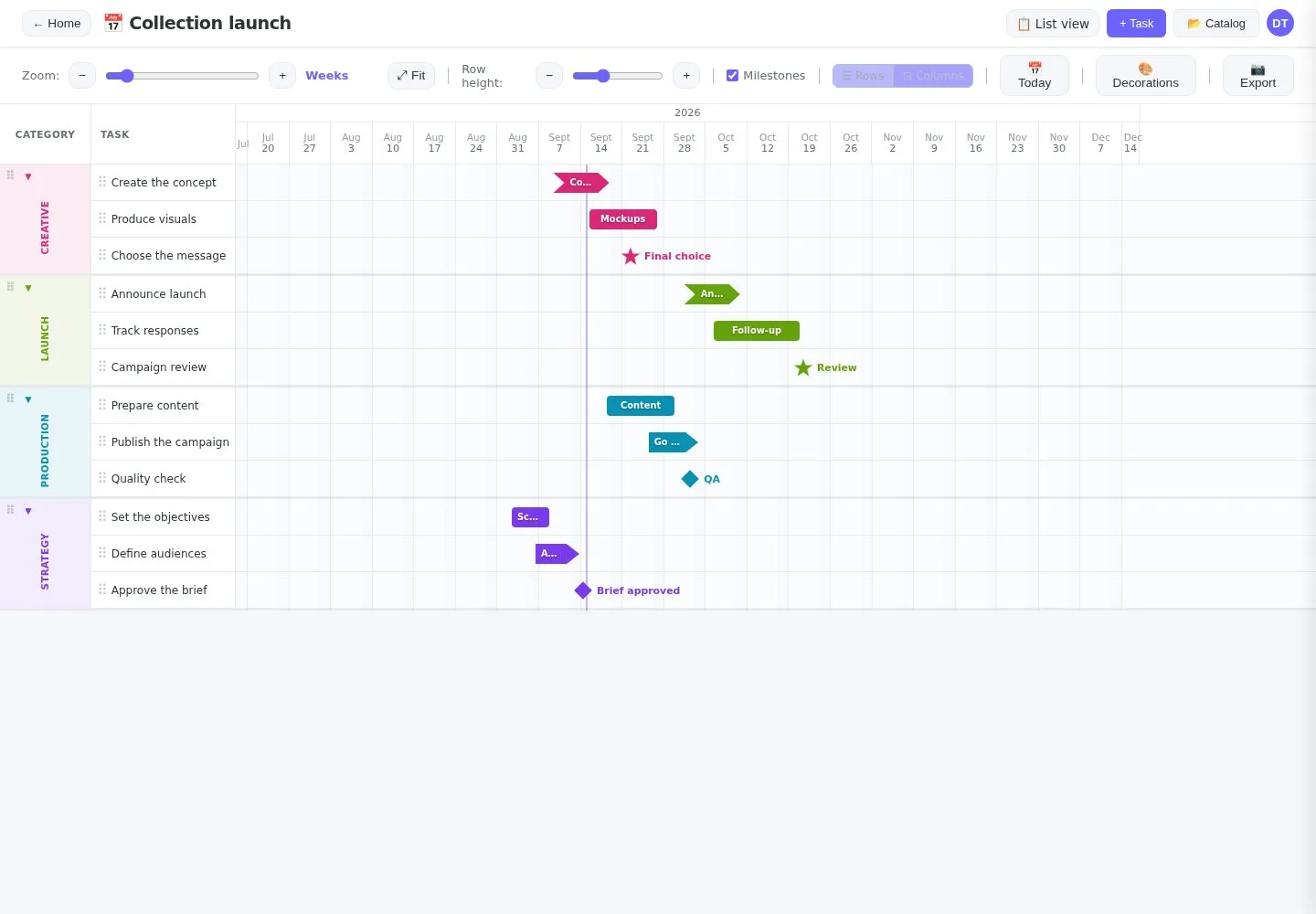
Built for project teams
Align design, validation, delivery, and dependency tracking on one timeline.
Coordinate content, reviews, channels, and deadlines without disconnecting tasks from the plan.
Share a readable calendar with contributors and publish a read-only plan when needed.
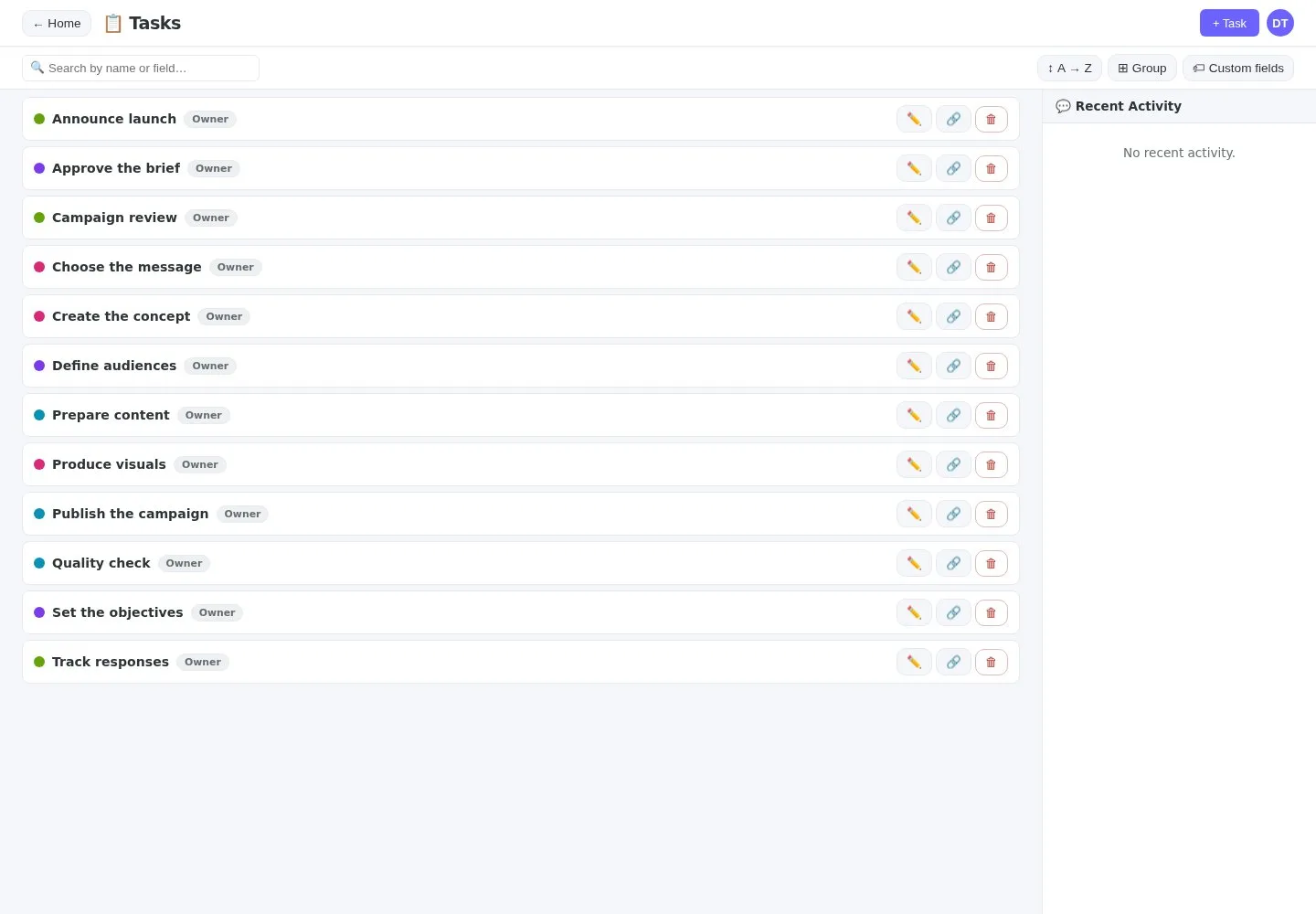
Structure the day-to-day work
A task can belong to several plans. Add your own fields, filter, sort, group, and reuse existing work instead of starting from scratch.
All features
Explore Planner’s capabilities, from the first task to sharing the finished plan.
Gantt and list views, collapsible categories, day-to-year zoom, automatic fit, drag and drop, resizing, multiple time ranges, milestones, and bar shapes.
Create static or dynamic plans. Dynamic views automatically display tasks that match your fields and criteria.
Centralize a reusable catalog, duplicate tasks, add notes and custom fields, then filter, sort, and group your work.
Invite collaborators, share a view or task, and assign owner, write, or read access with controlled cascading.
Comment on tasks with Markdown, review recent activity, show school breaks and public holidays, and keep context close at hand.
Public read-only sharing, ICS calendar feeds, PNG or JSON plan export, and structured export for your preferred AI.
French and English interface, light, dark, or automatic themes, and a customizable avatar stored with your account.
Share without losing control
Invite collaborators into the workspace, share a task or view, then publish a read-only plan when people need to consult it without an account.
Frequently asked questions
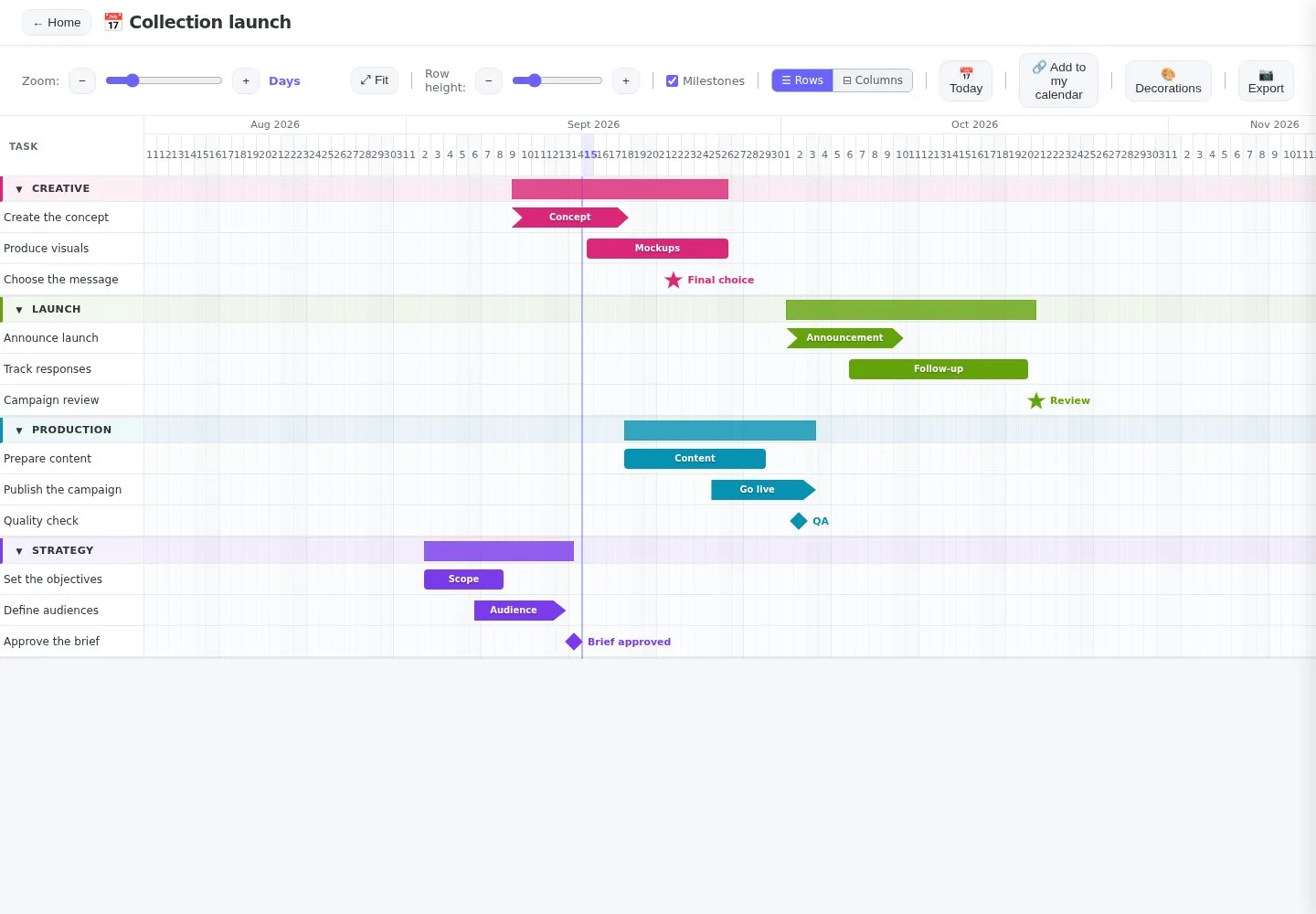
Yes. The Gantt view shows tasks, their time ranges, and milestones on an interactive timeline. You can zoom, move, and resize elements according to your access rights.
Create a relationship with your collaborators, then share plans or tasks with read or write access. The owner retains control over sharing.
Yes. The owner can create a revocable public link. Visitors see the plan in read-only mode, without comments or the owner’s identity.
Planner can export a plan as PNG or JSON. A public plan can also be added to a calendar using its ICS feed.
Planner is available in French and English. You can change the language at any time.
Ready to turn an action list into a real plan?
Start with your first view, then invite your team when the time is right.